Announcements
UHF’s New VPN Integration
Stop the manual VPN dance. The UHF app now natively integrates with 18 major VPN providers, including NordVPN, Proton VPN, and Surfshark. Discover how to configure your VPN to automatically connect when you open UHF, pick server locations, and keep your entire device secure.

If your streaming playlists are locked geographically, using a Virtual Private Network (VPN) is non-negotiable. However, remembering to turn your VPN on before opening UHF—and turning it off when you're done—is a tedious, repetitive dance.
In the past, we tried to solve this by offering native integration with AngelVPN. But we heard your feedback loud and clear: you wanted the freedom to use your own preferred VPN provider without losing that seamless, automated experience.
Today, we are thrilled to announce a massive upgrade to our VPN capabilities. You can now natively configure and automate almost any major VPN provider directly inside the UHF app!
Meet the New Lineup
We have vastly expanded our native integration. You can now log in, view server lists, and select your preferred server locations for all of the following providers directly within UHF:
NordVPN
Proton VPN
Surfshark
Windscribe
IVPN
Private Internet Access (PIA)
Mullvad
ExpressVPN
Fastest VPN
HideMyAss
VyprVPN
PureVPN
TorGuard
PrivateVPN
Privado
SlickVPN
IPVanish
Giganews
Depending on which provider you use, the integration will automatically support WireGuard or OpenVPN protocols, ensuring you get the fastest, most secure connection possible.
What if my provider isn't on the list?
Don't worry! If you use a smaller or custom VPN provider, you can still take advantage of this integration. UHF allows you to manually provide the WireGuard credentials of any VPN server. Note: When using a manual WireGuard configuration, you will be locked to the specific server configured in those credentials, meaning you won't be able to dynamically pick server locations from a list inside the app.
The Killer Feature: Automated Connection & Disconnection
The greatest advantage of setting up your VPN inside UHF is automation. No more jumping between different apps just to watch TV.
When configured, UHF will automatically connect to your VPN the moment you open the app. Even better, you can tell UHF to turn the VPN off the second you leave.
To enable this:
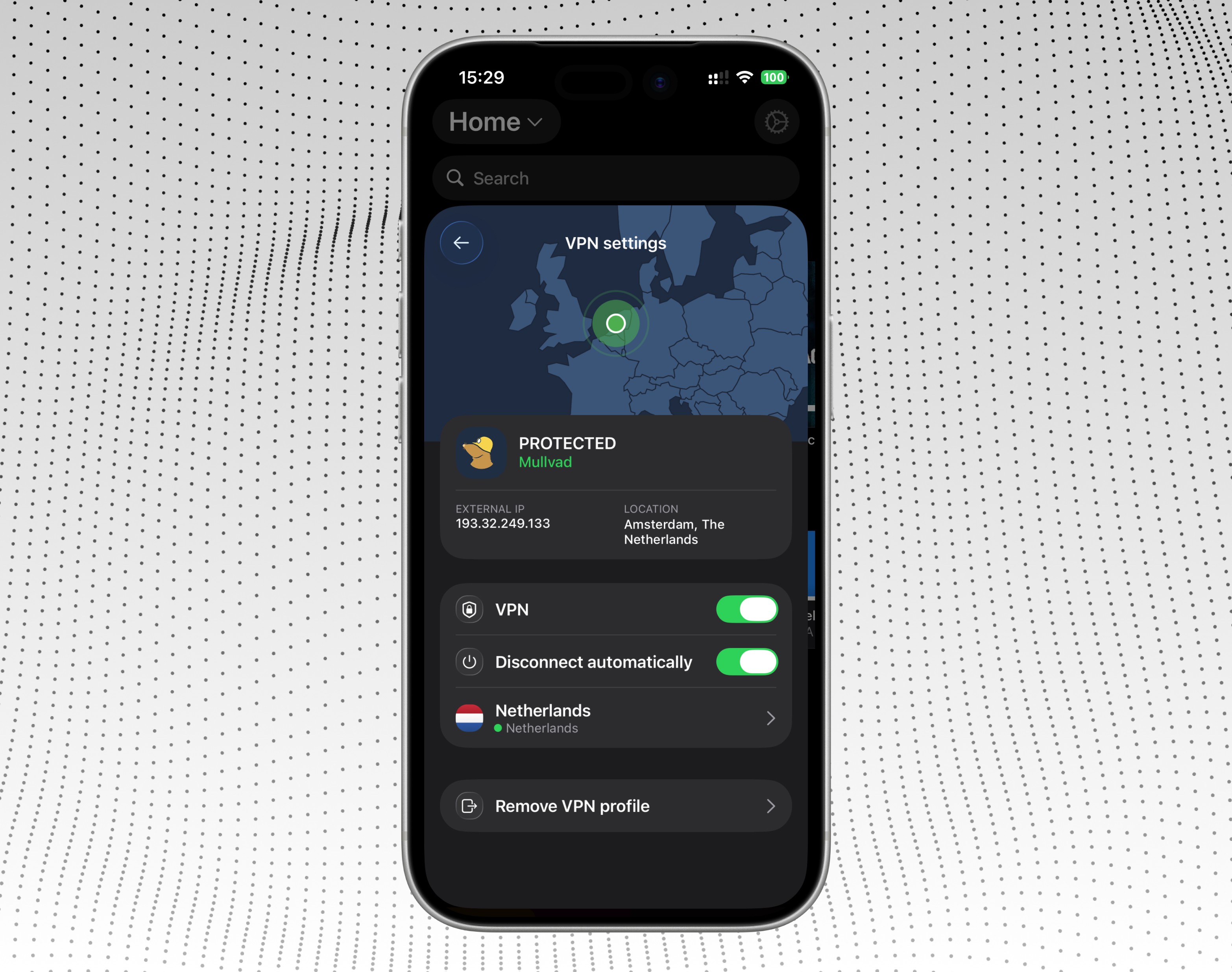
Navigate to Settings > VPN Settings inside UHF.
Toggle on "Disconnect automatically".
With this enabled, your VPN will connect when UHF is on your screen, and immediately disconnect when UHF is sent to the background.
Three Important Things to Keep in Mind
Before you set up your VPN, please be aware of how the integration functions on a system level:
It Protects Your Entire Device: When UHF triggers the VPN connection, it routes all of the traffic on your Apple TV, iPad, or iPhone through the VPN, not just the UHF app's traffic.
Your Credentials Are Kept Strictly Local: To ensure your VPN passwords and configuration files remain completely safe, VPN credentials are never synced across your devices. Even if you are a PRO subscriber using our backup system, you will need to manually log into your VPN on each individual device. We prioritize your privacy and security above all else.
Exit Gracefully for Auto-Disconnect: The "Disconnect automatically" feature triggers when you leave UHF normally (e.g., pressing the Home button, swiping back to your home screen, or switching to another app). However, if you force quit the app (by opening the App Switcher and swiping UHF away), iOS and tvOS terminate the app process instantly. When forced to close like this, the operating system doesn't leave time for UHF to react to the exit event and disconnect the VPN before shutting down.